Datamates Integrations Overview
Datamates provides seamless integration with various data platforms, tools, and services to enhance your workflow and productivity. These integrations allow you to connect, access, and manipulate data across different environments without leaving your IDE.
How Integrations Work
Datamates integrations operate through secure API connections, enabling bidirectional data flow between your development environment and external services. Each integration is designed to:
- Authenticate securely - Using API keys, OAuth tokens, or service credentials
- Access remote resources - Query databases, manage workflows, or interact with cloud services
- Execute operations - Run commands, submit jobs, or retrieve results directly from your IDE
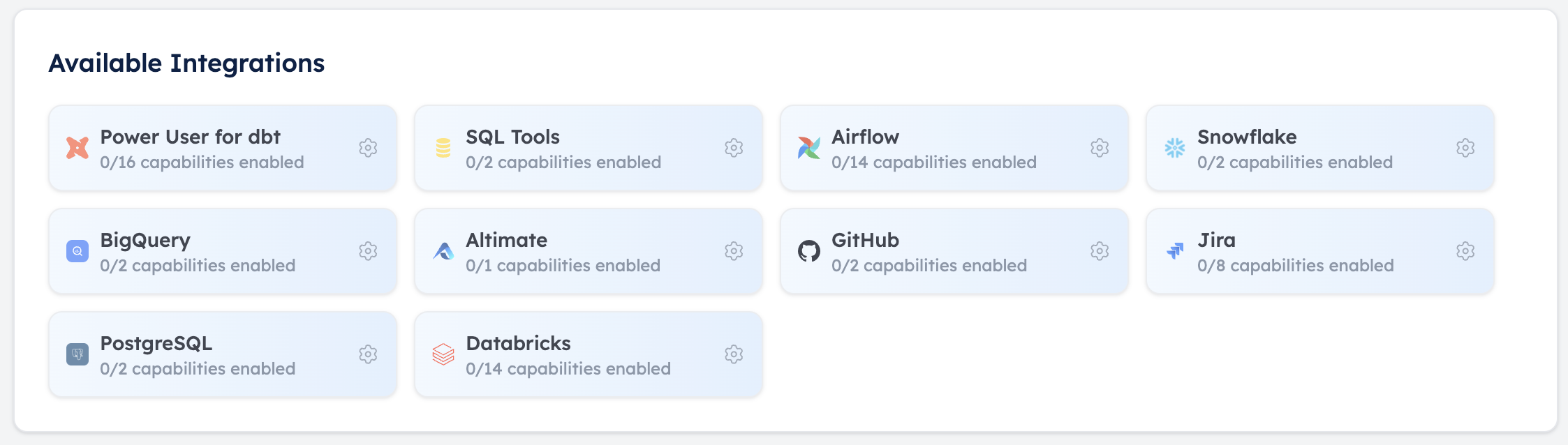
Available Integrations
Datamates currently supports the following integrations:
| Integration | Capabilities |
|---|---|
| Airflow | Manage DAGs, monitor workflows, trigger runs |
| Altimate | Connect to Altimate services |
| BigQuery | Execute queries, manage datasets, explore tables |
| Dagster | Manage DAGs, monitor workflows, trigger runs |
| Databricks | Run notebooks, manage clusters, access DBFS |
| dbt | Compile models, run tests, generate documentation |
| GitHub | Manage repositories, issues, and pull requests |
| Google Sheets | Get, update and manage Sheets |
| Jira | Create/update tickets, track progress |
| Linear | Create/update Issues, track progress, get documents, project info |
| PostgreSQL | Execute SQL, manage databases, explore schemas |
| Snowflake | Run queries, manage warehouses, explore data |
| Custom API | Custom API integration capabilities |
| *Alation (Coming Soon) | Access data catalogs, query metadata |
| *Azure DevOps (Coming Soon) | Manage work items, pipelines, repositories |
| *Service Now (Coming Soon) | Create and Manage Incidents |
Setting Up Integrations
To configure an integration:
- Navigate to the Datamates settings panel in your IDE
- Select the "Integrations" tab
- Choose the service you want to connect
- Enter your authentication credentials
- Test the connection to verify access
Benefits of Using Integrations
- Streamlined Workflow - Access all your tools from a single interface
- Reduced Context Switching - No need to leave your IDE to perform operations
- Enhanced Productivity - Automate repetitive tasks across platforms
- Improved Collaboration - Share connections and configurations with team members
- Centralized Management - Monitor and control all your data resources in one place
Best Practices
- Regularly rotate API keys and access tokens
- Use environment variables or secure storage for sensitive credentials
- Set appropriate permission levels for each integration
- Monitor usage patterns to optimize performance
- Document custom integrations for team knowledge sharing
For detailed information about specific integrations, please visit the individual integration pages linked in the table above.